
AI Business

Gemini adds file previews and direct editing inside chat

The update joins document creation, preview and revision in the same conversation.

Source: Harun SeyhanNovember 2, 20263 sections
18
On this page
  1. From a generated file to an editable preview
  2. Manual changes or a follow-up request
  3. Different formats on web and mobile
  4. Source
An elephant edits a document beside slide and spreadsheet previews.Edit in chat

Conceptual cover created with AI.

From a generated file to an editable preview

Harun Seyhan demonstrates a change to document work in Gemini: a presentation generated in chat can be previewed and adjusted without leaving the conversation. The focus of the demonstration is not simply creating another file. It is being able to refine the result immediately, much like working on an editable artifact. Google’s 29 October announcement confirms this combined creation, preview and editing workflow.
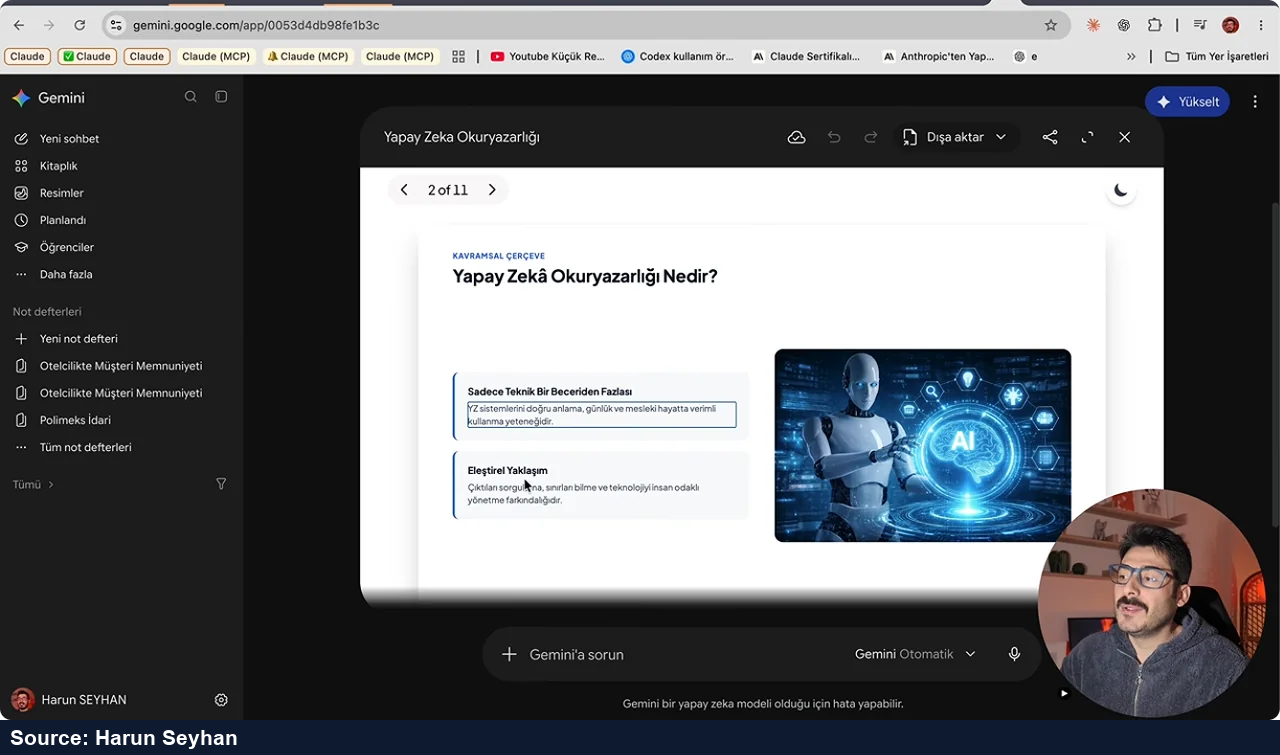
A presentation preview in Gemini with a text field selected for editing.

Manual changes or a follow-up request

The preview can expand to full screen. Users can type changes directly, highlight a passage and ask a question about it, or ask Gemini to revise selected text and visuals. The video groups PDFs, presentations and spreadsheets together as examples of outputs that can be checked and changed within chat. The conversation therefore remains connected to the material being revised instead of ending when the first version is produced.
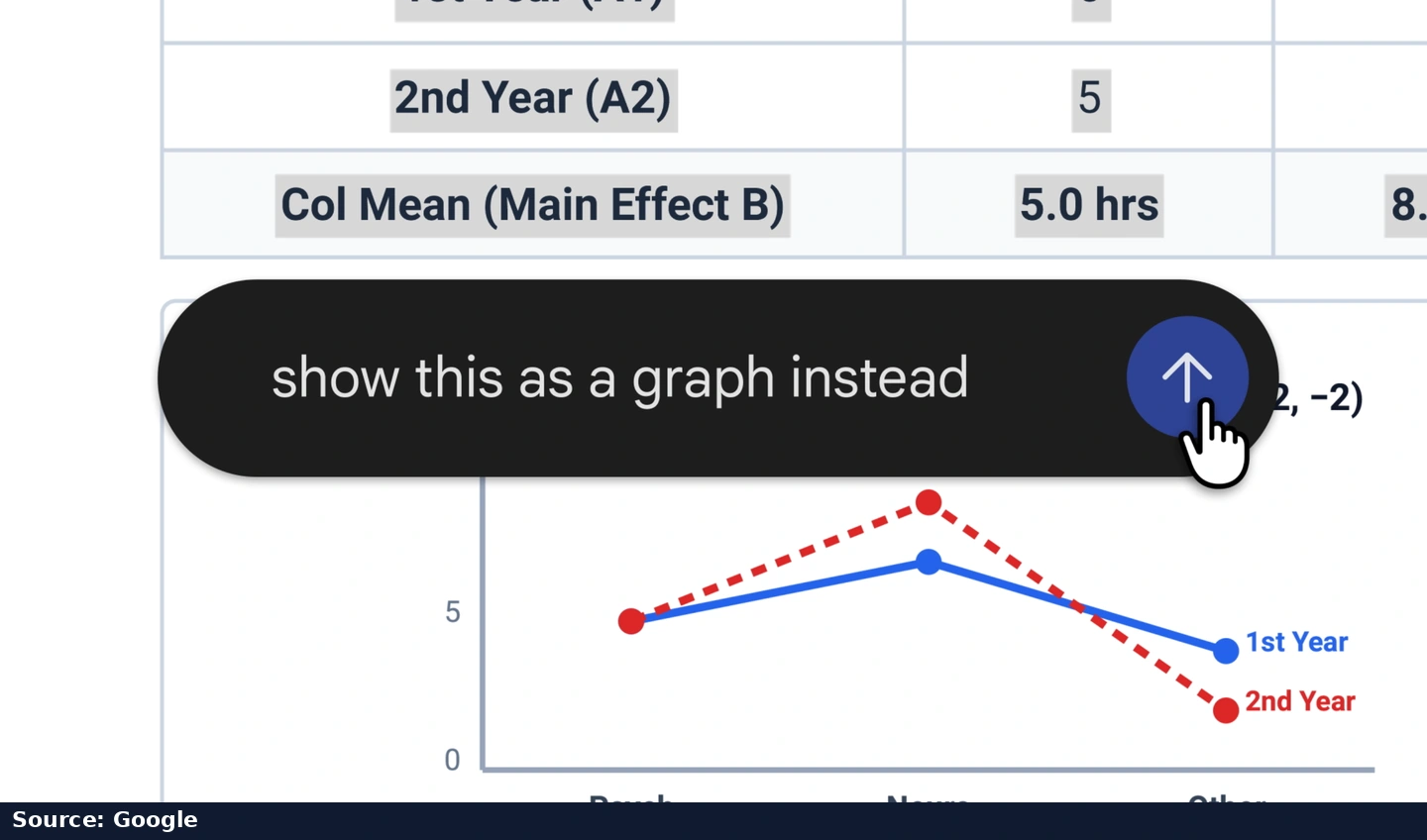
Google’s official example turns a selected table into a chart through an editing request.

Different formats on web and mobile

Google makes PDF preview and editing available on both web and mobile. Google Docs, Sheets, slide decks, Markdown, TXT and code are supported on the web. The announcement says the capabilities are available to all users in the languages and regions where the Gemini app is offered.

The source behind this story

Source:Harun Seyhan ↗Official source · Opens in a new tab

This editorial story is based on the source’s explanations. The creator’s experience and claims are distinct from independently verified findings. Video and source images belong to their respective creators.

Your favourites

This list stays in this browser on your device. No account is needed, and other visitors cannot see it.

Use a story’s bookmark button to add your first favourite.