
An AI coding agent can now produce a working internal tool in an afternoon: a small CRM, a link tracker, a dashboard. The awkward part starts afterwards. Where does that tool live, who is allowed to open it, which database does it use, and where do its API keys sit? EveryApp is an open source project built around exactly that second half of the job.
What EveryApp is and which problem it takes on
EveryApp describes itself as an open source platform for building and running web apps in your own Cloudflare account. The project’s repository, published under the MIT license, puts the goal more bluntly: “Make every SaaS open source.” According to its README, the system takes care of hosting, the database, sign-in, permissions, API keys and backups, so that you and your agent can concentrate on what the app should actually do.
The underlying idea is standardisation. Open source tools are usually built in very different ways, and each one has to be deployed and secured separately. Here, every app uses the same stack and the same component library, and all of them run behind one shared entry point. The agent that builds your app works with that stack instead of inventing a new setup each time.

How the Gateway works and what protects your apps
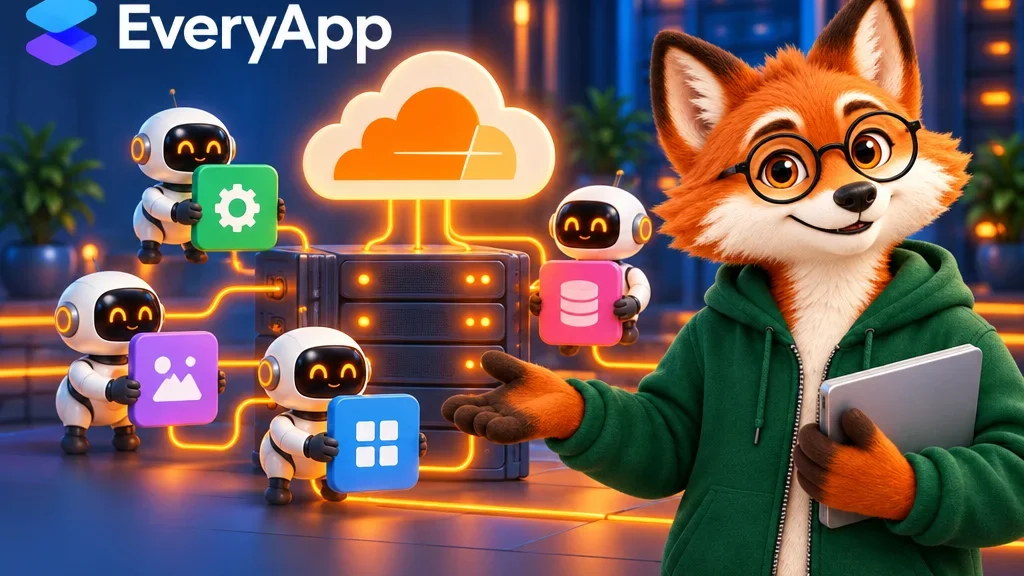
That shared entry point is called the Gateway. One command sets it up in your Cloudflare account, and your team signs in once to reach every app. The official site states that every request passes through the Gateway and that the apps themselves have no public address. Setup places Cloudflare Access, Cloudflare’s sign-in layer for private applications, in front of the Gateway, so people must authenticate before they can reach anything.
API keys are handled the same way. You connect an external service once at the Gateway. Apps then request access, and the Gateway makes the calls on their behalf. In the project’s words, the apps never hold your keys. Everything runs serverless, meaning without a machine you have to keep online yourself, on Cloudflare Workers, with D1 as the database, R2 for file storage and KV for key-value data.
This is the detail I would weigh most heavily. With agent-built software, the risky parts are rarely the buttons and tables; they are sign-in and secrets. Moving both into one layer that is configured once means a mistake inside a single app has less to leak. That is an inference from the documented design, not a security audit, and the project itself has not published one in the sources reviewed here.
What you need and how the setup runs
The quick start lists four prerequisites: a Cloudflare account on the Workers Paid plan, R2 storage enabled in that account, a domain managed on Cloudflare, and Node.js 22.18 or newer. The documentation estimates about 20 minutes; the README speaks of about 15.
The steps themselves are short:
1. Install the command line tool with npm install -g everyapp.
2. Run everyapp setup. A browser page opens for the Cloudflare login, then you choose the address of your Gateway, by default something like apps.yourcompany.com.
3. After five to ten minutes, a page opens where you create the owner account. Accept the Cloudflare Access prompt when it appears.
4. Install apps with everyapp install followed by the GitHub address of the app, then open your Gateway address and sign in.
Two warnings in the documentation deserve attention before you start. The Gateway address cannot be changed later, so pick it deliberately. And the owner link must not be shared, because whoever opens it first becomes the owner. If setup stops midway, running the same command again resumes where it left off.
You can also hand the whole procedure to an agent. The project provides a setup prompt for Claude Code, Codex or Cursor; the agent runs the steps and pauses where a human decision is required, such as approving the Cloudflare login, creating the owner account or upgrading to Workers Paid.
What it costs
EveryApp itself is free software. The costs arise at Cloudflare: the Workers Paid plan is listed at 5 dollars a month, and for R2 the first 10 GB per month are free. The site says this plan can host hundreds of apps and that an app nobody uses costs 0 dollars, since nothing runs while no requests arrive.
There is a second cost item that is easy to miss. Some apps need keys for outside services. OpenSEO requires an OpenRouter key and a DataForSEO key, OpenScribe an OpenAI key. The quick start does not list what those services charge, so the real monthly figure depends on which apps you use and how heavily. Apps with missing keys are shown as “Needs setup” until you add them; OpenCRM and OpenAnalytics run without any.
Which apps exist and how to add your own
The catalog currently names five apps: OpenSEO for keyword research, rank tracking and site audits; OpenCRM, a simple CRM; OpenScribe, AI meeting notes for Mac that records, transcribes live and writes notes; OpenAnalytics, web analytics without cookies; and OpenMail, an email inbox with an AI assistant. More are announced as coming.
Each app can be run as it is or forked, that is copied and changed, as a starting point. For something new, everyapp create my-app generates a fresh app on the same stack. The documentation also describes a “Connect your AI” page for linking Claude or ChatGPT, so an assistant can use the installed apps, and a phone view under the Gateway address.
Where the limits are and who it suits
The project says openly that it is in early development and that you should expect some rough edges. The design also ties you to one provider: gateway, database and storage all live in Cloudflare services, so a later move elsewhere would not be a simple export. That follows from the architecture described above rather than from an explicit statement by the project.
For a small team that already manages a domain at Cloudflare and wants a handful of internal tools under one login, the trade looks reasonable: low fixed cost, your data in your own account, and less deployment work per app. For anything business-critical I would start with one low-risk app, such as analytics or the CRM, and watch how updates and backups behave before moving more over. Who takes the next step? Here it should be a person, deciding which tool is safe to try first.
Ask AI about this article
Opens in a new tab with the question filled in.