
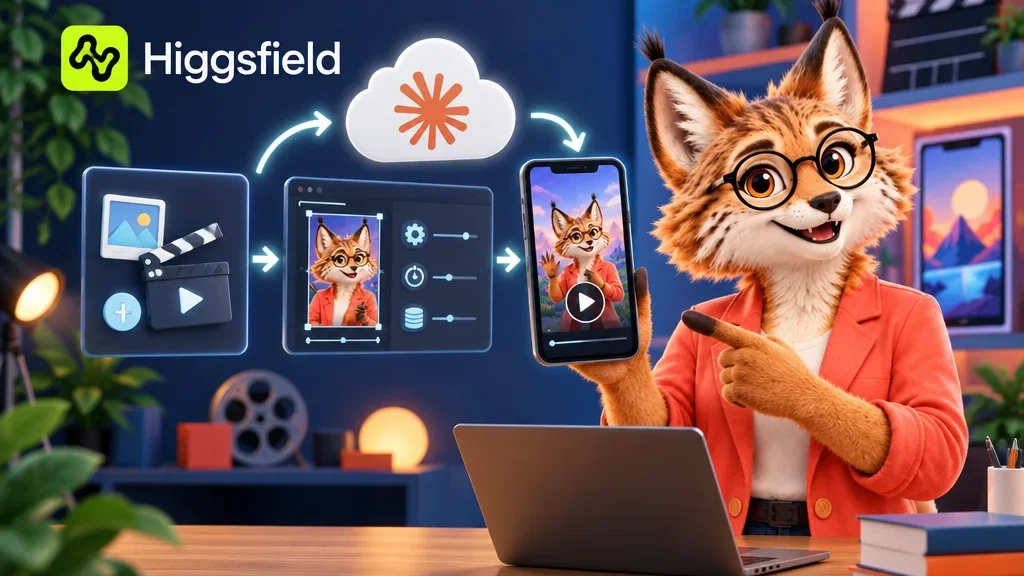
In a vertical product demo, the presenter’s face and the item have to share a narrow frame. Higgsfield Shorts Studio can build a 9:16 video for that job with an AI presenter, a voice you select and a script it drafts from your topic. You can prepare the brief in Shorts Studio and then choose Claude for the generation step. Claude sends the request to Higgsfield, which produces the video.
Connect your Higgsfield account to Claude
Use Claude on the web or in the desktop app and have both accounts ready. On Higgsfield’s MCP page, select the option to add Higgsfield to Claude. MCP, short for Model Context Protocol, is a standard that lets an assistant call an external service. The button opens Claude’s connector form with Higgsfield’s details filled in.
Add the connector, sign in to Higgsfield when prompted and authorise access. In your Claude chat, open the connectors menu and turn Higgsfield on. Ask for your Higgsfield credit balance. A balance returned through the connector confirms that the chat can reach your account.

Prepare the presenter, voice and script
Open Shorts Studio and start a new generation. Pick a preset, a ready-made format, and choose the presenter. You can optionally add a reference clip between 10 and 120 seconds long to guide the motion. Pick a voice and enter the topic you want the presenter to cover so Shorts Studio can draft the spoken script. Set the length and choose Basic or High quality, then select the option to continue in Claude.
If you add a new image or clip from the chat, ask Claude to open Higgsfield’s upload window. Upload it there and wait for confirmation so Higgsfield receives the file. Use a motion reference you have permission to use and get consent before uploading a real person’s likeness.
Check the credit cost before generating
Credits are Higgsfield’s unit of usage. The amount depends on the video’s length and quality. In Higgsfield’s published example, a 15-second short costs 90 credits in Basic and 240 in High. The Generate button in Shorts Studio shows the cost. In Claude, ask for the current total and have it wait for your approval. Higgsfield’s Unlimited benefit is for website generations. In Claude, plan for credits.
Find the video and review it in a phone-sized frame
Look in Shorts Studio’s History for videos made there, or in Higgsfield Assets for generations you ran through Claude. Play the whole clip and check that the spoken words match the script, the presenter’s face stays consistent and the reference motion looks natural.
I’d use a short Basic take to check the framing before spending more credits on High. Watch it at phone size and see whether the presenter’s face or the product sits where captions or app buttons could cover it. Adjusting the composition at that stage gives the final render a clearer job.
Ask AI about this article
Opens in a new tab with the question filled in.